
How to Scrape TripAdvisor Reviews to CSV (2026 Guide)
TripAdvisor holds the deepest pool of hotel, restaurant and attraction reviews on the web, but the official Content API returns only 3 reviews per place and needs approval. Here is how to export all of them as structured JSON or CSV, with owner responses, per-review subratings, official category subratings and TripAdvisor's own AI review summary, no API key.
Why scrape TripAdvisor reviews?
Hoteliers and restaurateurs track their own reputation and benchmark competitors. Market and academic researchers build review datasets across a whole city or category. Reputation and BI teams monitor sentiment, owner-response rates and category scores over time. And AI teams feed the review text straight into RAG pipelines. All of it starts with getting the reviews out as clean, structured rows.
The catch: the official API caps at 3 reviews
TripAdvisor's Content API is gated (you apply for access) and, even then, returns just three reviews per location with strict display rules, no owner responses and no subratings. That is fine for a widget, useless for analysis. The public review pages hold everything; the job is turning them into structured data reliably.
What data can you get?
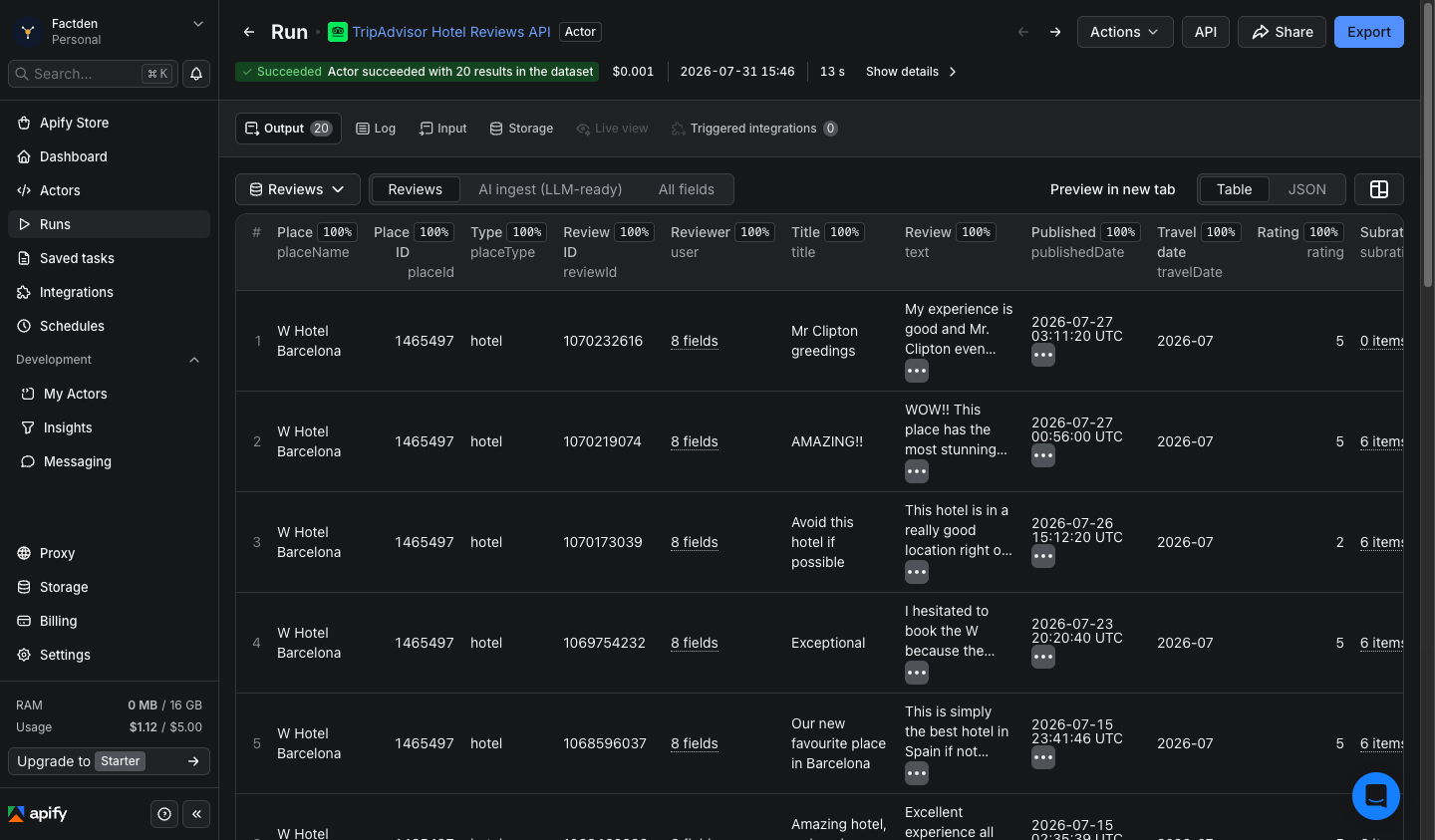
Per review: the star rating, title, full text, language, published and travel dates, helpful votes, per-review subratings, the ownerResponse (management reply), the reviewer profile, and an LLM-ready markdownContent block. Per place: name, category, overall rating, review count, structured rank and rankOutOf, price range and level, hotel class, amenities, address and contact, TripAdvisor's official category subratings, and its AI review summary (prose plus attribute chips).
Hotels, restaurants and attractions, one actor
The output shape is identical across all three place types; type-specific fields fill in automatically. Crucially, the official subratings differ by vertical: hotels return cleanliness, service, value, location, rooms and sleep quality; restaurants return food, service, value and atmosphere; attractions carry the AI summary. The scraper requests the right one per place, so you never get empty hotel columns on a restaurant.
Two ways to target places
Reviews mode takes TripAdvisor URLs or location IDs and returns every review plus the place record. Discover mode takes a city name and returns a fast, ranked list of that city's hotels, restaurants or attractions with full details, no URLs needed. The typical workflow: Discover a city, then feed the returned location IDs into Reviews mode to pull their reviews.
The fast way: the FactDen TripAdvisor Reviews API
Rather than build and maintain your own extractor, the TripAdvisor Hotel Reviews API on Apify does it in four steps.
Step 1: Open the actor
Go to the actor page and open the Input tab. It comes pre-filled with example places.
Step 2: Give it a place
Keep Mode on Reviews and paste one or more TripAdvisor URLs (or location IDs). Or switch to Discover, type a city, and pick hotels, restaurants or attractions.
Step 3: Run it
Set Max reviews per place (use a large number for all), optionally filter by language, rating range or a date window, and click Start.
Step 4: Export
When it finishes, open the Output tab and export as CSV, JSON, Excel or HTML, or pull the dataset from the API and MCP on a schedule.
What does it cost?
$0.45 per 1,000 reviews, pay-per-result, dropping toward $0.38 per 1,000 at volume, plus $0.002 per place record. No per-run start fee, and new Apify accounts get free monthly credit to test first.
Frequently asked questions
- Does TripAdvisor have a reviews API?
- There is an official Content API, but it is gated and returns only 3 reviews per location with no owner responses or subratings. This scraper returns all public reviews with richer fields and no API key.
- How much does it cost to scrape TripAdvisor reviews?
- About $0.45 per 1,000 reviews, dropping toward $0.38 at volume, plus $0.002 per place record. No start fee.
- Does it work for restaurants and attractions?
- Yes, with per-vertical official subratings: hotels (cleanliness/service/value/location/rooms/sleep), restaurants (food/service/value/atmosphere), attractions (AI summary).
- Can I scrape every hotel in a city?
- Yes. Discover mode lists a city's places; take the location IDs into Reviews mode for their reviews.
Try the TripAdvisor Reviews API · grab a free sample
Related: Google Hotels scraper → · Expedia scraper → · Hotels.com scraper →