How to Scrape Zomato Restaurant Reviews and Listings (2026 Guide)
Zomato holds one of the largest pools of restaurant feedback and listing data in India, the UAE and beyond - popular restaurants carry tens of thousands of reviews, each with the restaurant's phone, address and location attached. This guide covers what you can extract, why building your own scraper is harder than it looks, and the fastest way to get clean, structured Zomato review and restaurant listing data.
Why scrape Zomato?
- Reputation monitoring - track ratings, fresh reviews and owner responses across your outlets or competitors.
- Restaurant listings - business phone, address and GPS for every restaurant in a city or cuisine, ready for market mapping.
- Market and location intelligence - cost-for-two, cuisines and rating distribution per locality.
- AI & RAG - every review ships as a self-contained markdown block for embeddings and LLMs.
What data can you get?
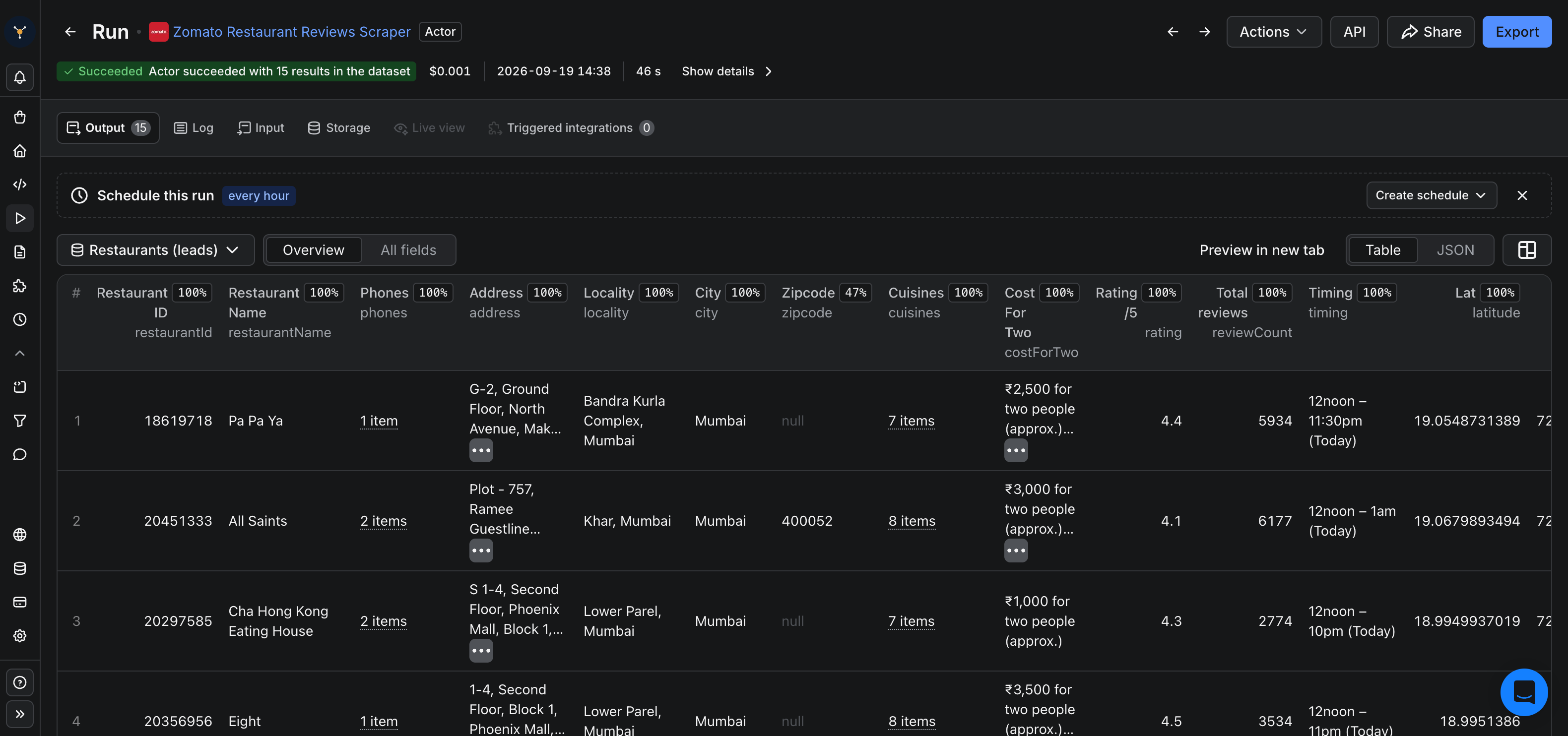
Per review: a 1-5 rating, the experience type (dining or delivery), the original review text, the reviewer display name, the restaurant's owner response, an approximate date, a short permalink, and an LLM-ready markdownContent block. Per restaurant listing: name, phone number(s), full address, locality, city, zip, latitude/longitude, cuisines, cost for two, aggregate rating and total review count.
Why building your own breaks
Zomato changes its page layouts and pagination often, listing pages cap how far you can page, and reviews and restaurant details have to be stitched together from several pages. Keeping a scraper working is ongoing maintenance, and most teams spend weeks and still miss much of the review corpus.
The fast way: the FactDen Zomato Restaurant Reviews Scraper
The Zomato Restaurant Reviews Scraper on Apify does it in one run. You can:
- Reviews mode - paste any restaurant URL like
https://www.zomato.com/ncr/warehouse-cafe-connaught-place-new-delhi, or a bare restaurant ID, and get every review plus a restaurant listing. - Discovery mode - pick a city and optional cuisine from the dropdowns, or paste a locality listing URL; the actor paginates it and returns a listing for every restaurant.
- Sort and filter - newest, oldest, highest or lowest rating, a from-date cutoff for incremental syncs, and a rating range.
- Export to JSON, CSV, Excel, or pull from the API on a schedule.
No login, no Zomato API key. Field docs and snippets are in the GitHub repo.
What does it cost?
From $2 per 1,000 reviews, pay-per-result, plus a small per-run start fee and a charge per restaurant listing. Discovery bills one listing per restaurant, never per review. New Apify accounts get free platform credit to try it end to end.
Frequently asked questions
- Does Zomato have a reviews API?
- No public one. This scraper is the structured alternative - JSON or CSV, no login.
- Can I scrape by city instead of by URL?
- Yes. In Discovery mode pick a city and optional cuisine and it returns a listing for every restaurant.
- Is there a restaurant email?
- No - Zomato does not publish restaurant emails; phone, address and GPS are the available contact fields.
Try the Zomato Restaurant Reviews Scraper →
Related guides: How to scrape Agoda reviews →