
Booking.com Scraper
Scrape Booking.com at scale: search a city, region or country to discover every hotel, with live per-night and per-room prices, availability & occupancy (rooms left, sold-out, scarcity), a forward availability calendar, and guest reviews - including rating-only ones - with reviewer country, stay date and the hotel's reply. One row per hotel; reviews and calendar in their own datasets.
See it in action
What you get
Four datasets, each clean and tabular - so prices, reviews and calendar never explode into one another:
- Hotels - one row per hotel:
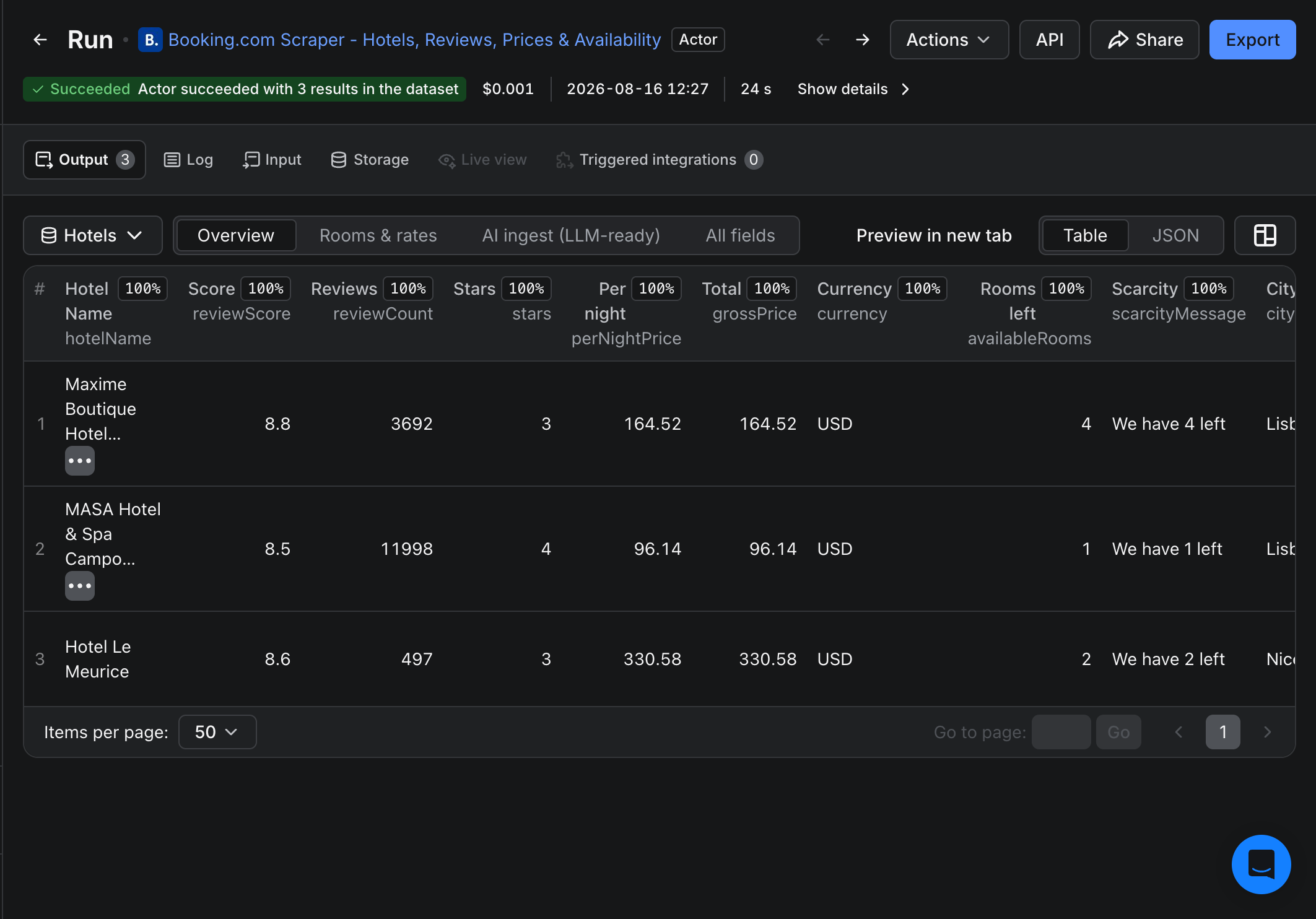
hotelId,hotelName,stars,reviewScore,reviewCount,perNightPrice/grossPrice/netPrice,currency,availableRooms,scarcityMessage, coordinates, address, and a nestedrooms[]rate matrix. - Rooms & rates - a view that unwinds
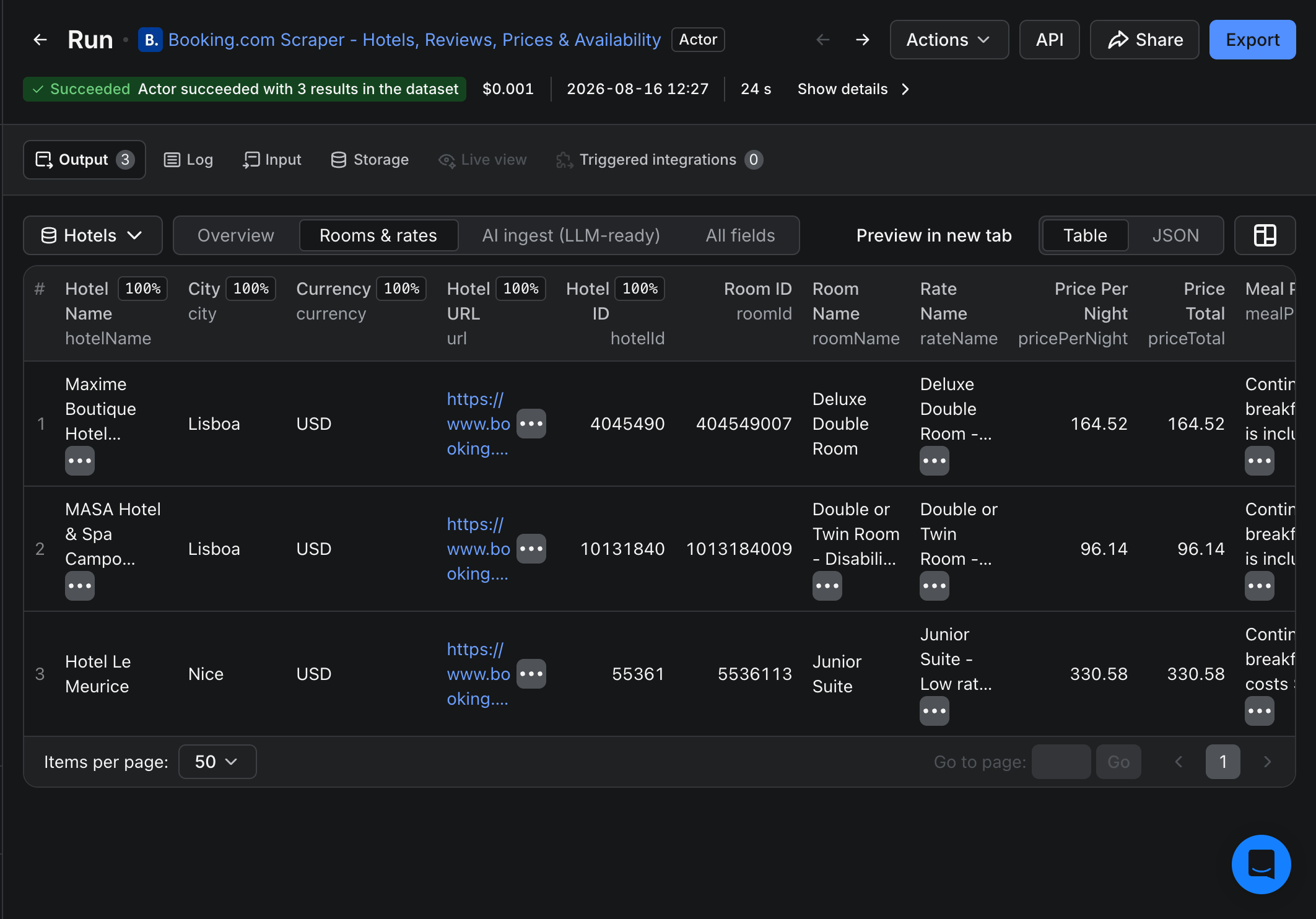
rooms[]:roomName,rateName,pricePerNight,priceTotal,mealPlan,breakfastIncluded,refundable,freeCancellationUntil,maxOccupancy,roomSurfaceM2. - Reviews (optional) - one row per guest review:
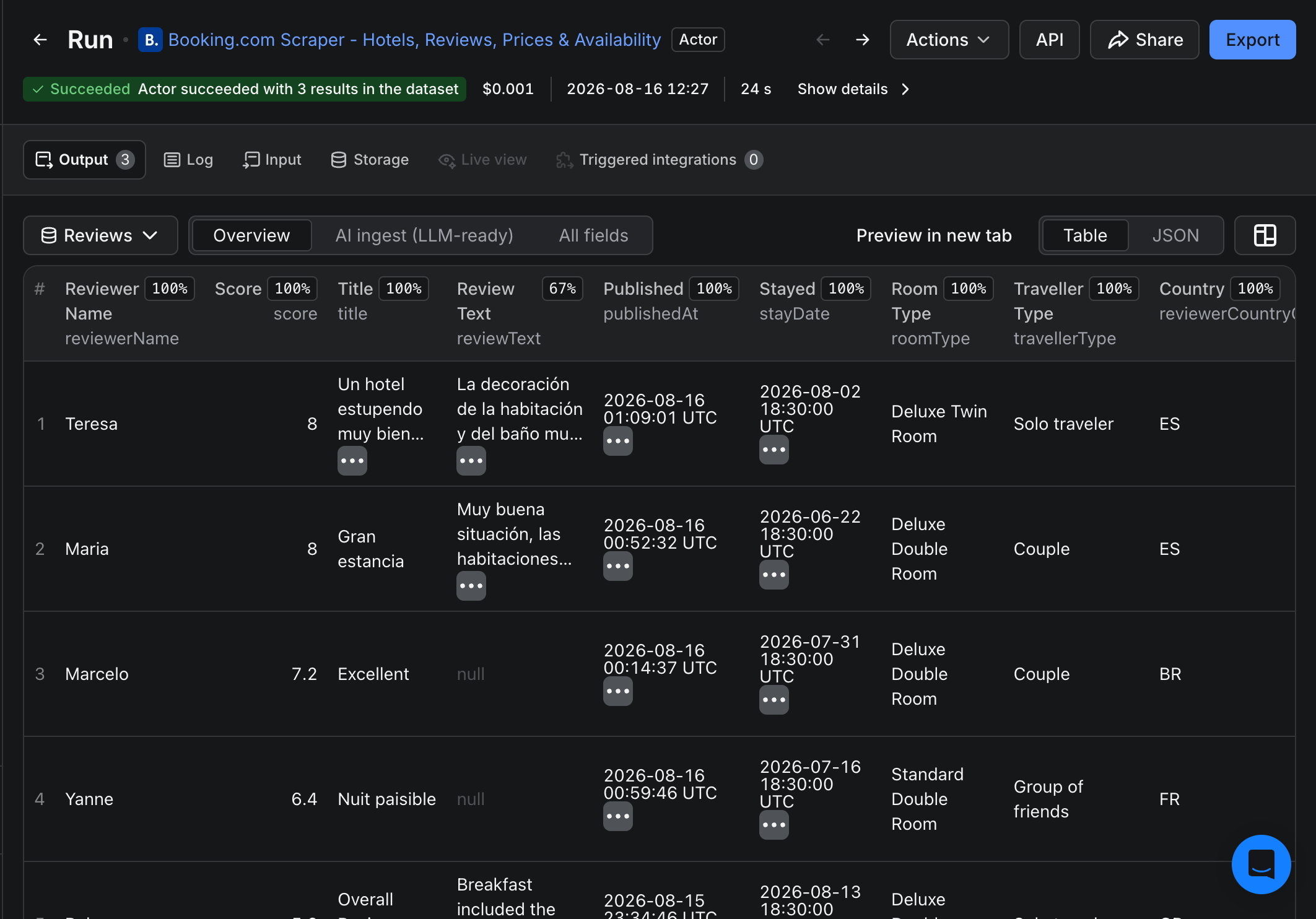
score(0-10), positive/negative text,reviewerCountryCode,travellerType,roomType,stayDate,stayNights,publishedAt, and thehotelierResponse. Rating-only reviews included and flagged. - Availability calendar (optional) - one row per forward day:
date,available,minPrice,currency. - LLM-ready markdown - a self-contained
markdownContentblock on every hotel and review, ready for a vector DB or RAG pipeline.
Search a place, get every hotel
Put Rome, Bali or Germany in Discover hotels in a place and the actor expands it into every hotel there, priced and scored. A single run of Lisbon returns the market:
| Hotel | Class | Guest score | Per night | Rooms left | City |
|---|---|---|---|---|---|
| Maxime Boutique Hotel Avenida da Liberdade | 3★ | 8.8 (3,692) | $164.52 | 4 | Lisboa |
| MASA Hotel & Spa Campo Grande Collection | 4★ | 8.5 (11,998) | $96.14 | 1 | Lisboa |
Prefer exact hotels? Name a hotel (e.g. The Venetian Macao) or paste Booking.com links. Grab the full sample to see the rooms, reviews and calendar rows.
Sample output
One hotel row (trimmed). Download results as JSON, CSV, Excel, or HTML:
{
  "hotelId": 55361, "hotelName": "Hotel Le Meurice",
  "city": "Nice", "country": "France",
  "stars": 3, "reviewScore": 8.6, "reviewCount": 497,
  "currency": "USD", "perNightPrice": 330.58, "grossPrice": 330.58,
  "availableRooms": 2, "scarcityMessage": "We have 2 left",
  "rooms": [
    { "roomName": "Junior Suite", "pricePerNight": 330.58, "priceTotal": 330.58,
      "mealPlan": "Continental breakfast costs $20 per person per night.",
      "breakfastIncluded": false, "refundable": false, "maxOccupancy": "2", "roomSurfaceM2": 20 }
  ],
  "url": "https://www.booking.com/hotel/fr/le-meurice.html"
}
Why this scraper
- All four in one actor - discovery, prices, occupancy and reviews (plus a calendar) from a single run, where most Booking.com tools do just one.
- Search a place, get the whole market -
searchLocationexpands a city or country into every hotel, no URLs to paste. - Complete reviews - no 500-review cap, and rating-only reviews are included and flagged.
- Per-room rate matrix - every bookable rate with price, meal plan and cancellation terms.
- Occupancy signals - rooms left, sold-out and scarcity per hotel and date, for demand monitoring.
Who it's for
- Revenue managers & rate shoppers - track comp-set prices, per-room rates and availability across dates.
- OTAs & travel startups - build a hotel catalog with prices and occupancy for a destination.
- Market & sentiment researchers - map every hotel in a city, and pull full review datasets for NLP.
- AI agents & RAG pipelines - a blind-fillable schema and a
markdownContentblock on every row; callable by AI agents through Apify's API and MCP.
How it works
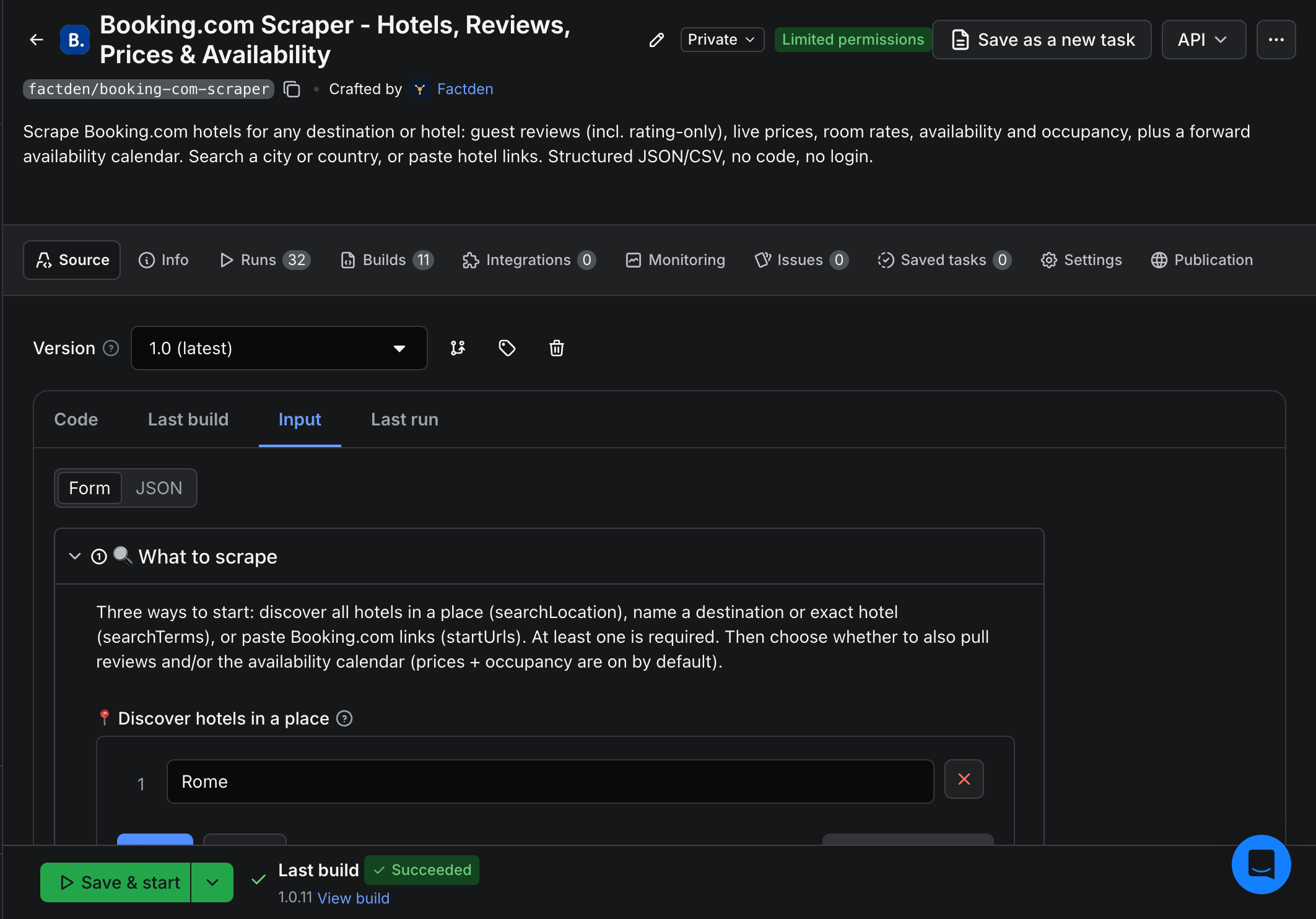
Open the actor on Apify, enter a place (or exact hotels / links), keep prices on and toggle reviews and the availability calendar, click Start, and download results as JSON, CSV, Excel, or HTML - or pull them from the API on a schedule. Field dictionary and copy-paste snippets are in the GitHub docs.
How much does it cost?
Pay only for what you pull - no start fee. Four events: Hotel $0.003 (each hotel returned), Prices $0.005 (each priced hotel - breakdown, per-room rates and occupancy), Review $0.001 (each review), and Calendar day $0.0005 (each forward day). New Apify accounts get free monthly credit, and paid plans get a lower per-event rate. See the actor page for current pricing.
- Discover & price 50 hotels in a city - 50 × ($0.003 + $0.005) = $0.40.
- Pull 500 reviews for a hotel - 500 × $0.001 = $0.50.
- A 60-day availability calendar for one hotel - 60 × $0.0005 = $0.03.
Frequently asked questions
- How much does it cost to scrape Booking.com?
- Pay-per-event, no start fee: Hotel $0.003, Prices $0.005 per priced hotel, Review $0.001, Calendar day $0.0005. A "50 hotels with prices + 20 reviews each" run is well under a dollar. New accounts get free monthly credit; turn reviews or the calendar off to run cheaper.
- Do I need a Booking.com account or API key?
- No. Everything runs inside the actor on Apify - no login, no Booking.com API key, no setup.
- Can I discover all hotels in a city instead of pasting URLs?
- Yes - put a city, region or country in Discover hotels in a place and the actor returns every hotel there, with prices, scores and availability.
- Does it get all reviews, including ones with no text?
- Yes. No 500-review cap, and rating-only reviews are included and flagged
isRatingOnly, each with reviewer country, traveller type, stay date and the hotel's reply. - Does it have an availability calendar?
- Yes - turn on Include availability calendar for a forward day-by-day calendar per hotel with the minimum price and available/sold-out status.
- Which currencies and languages are supported?
- 25 currencies (USD, EUR, GBP, INR, JPY, MYR, VND, PHP, TRY and more) and 20 display languages.
- Can I schedule daily price monitoring?
- Yes. Run it on an Apify schedule and append each run to build a price and availability history - Apify handles the cron, storage, API and webhooks.
- Is it legal to scrape Booking.com?
- Scraping publicly available data is generally lawful, but you are responsible for how you use it. Follow Booking.com's Terms and applicable data-protection law, especially for personal data in reviews.
Read the full guide: step-by-step tutorial → · Google Hotels scraper → · Expedia scraper → · Agoda scraper →