
Indeed Jobs Scraper
Extract Indeed job listings as clean, structured rows: parsed numeric salaries (salaryMin / salaryMax), full descriptions, benefits, remote flags, and free company profiles - across 40+ countries. Indeed retired its public API; this is the programmatic route that still works.
What you get
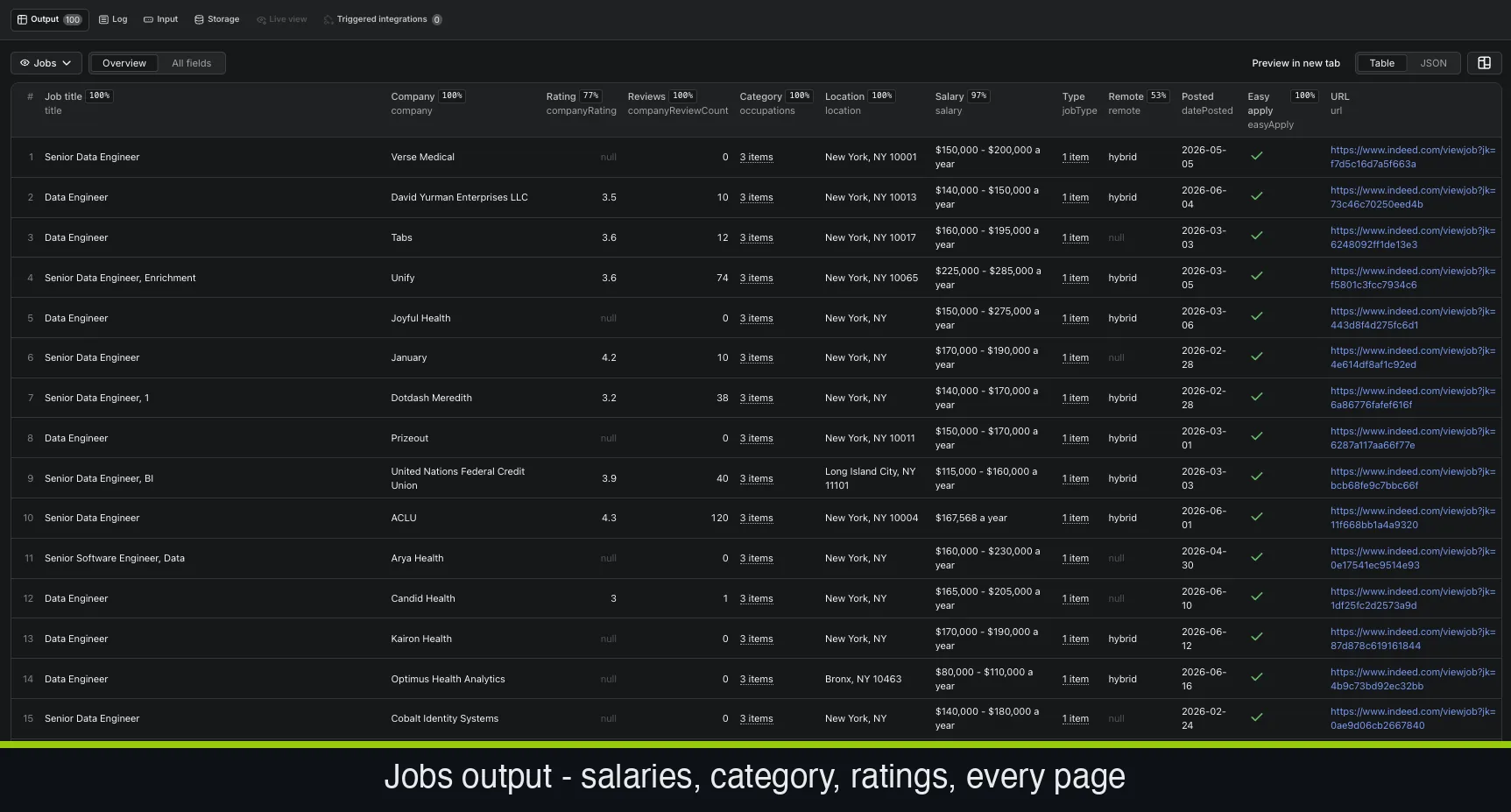
26 structured fields per job: title, company, granular location (city / state / country / lat-long), salary parsed into salaryMin / salaryMax / salaryPeriod / currency, job type, remote flag, benefits, full description, easy-apply and urgent-hire flags - plus an optional full company profile (rating, size, industry, revenue, website).
Why this scraper
- Salaries as numbers, not strings - "$120,000 - $160,000 a year" arrives parsed into numeric min/max, period, and currency - filter and aggregate immediately.
- Native salary-range filter - pass salaryMin / salaryMax in the input and only matching jobs are extracted - no post-filtering.
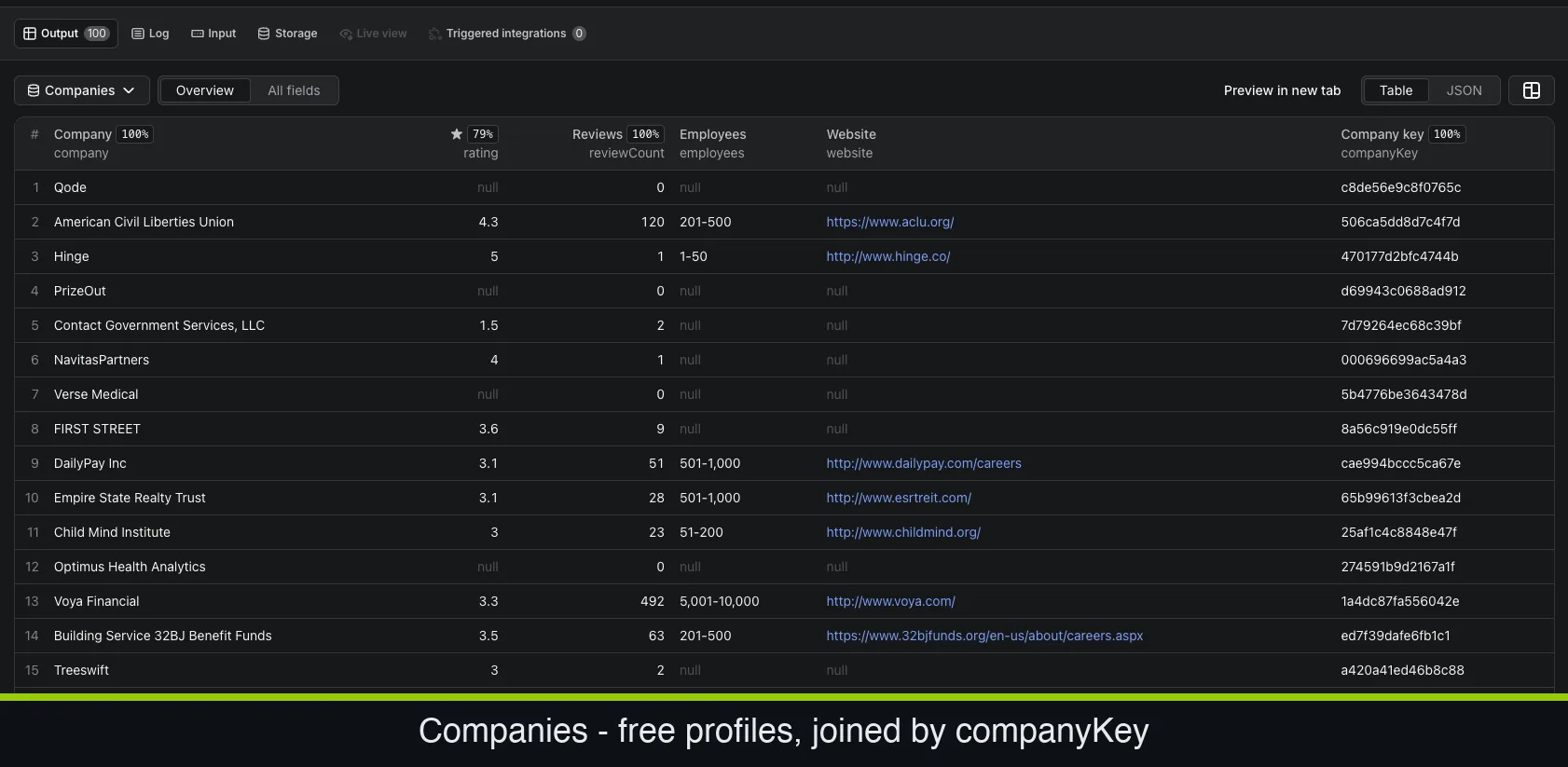
- Free company profiles - toggle scrapeCompany and each job carries the employer's rating, size, industry, revenue and website.
- 40+ countries - US, UK, India, Germany, Singapore, Australia and more via a single country code.
How much does it cost?
$2 per 1,000 jobs, pay-per-result, with volume discounts toward $1.20 per 1,000, plus a $0.005 per-run start fee. Company profiles are free. New Apify accounts get $5 free credit (~2,500 jobs).
How it works
Open the actor on Apify, paste your Indeed jobs URLs (or use the pre-filled example), click Start, and download results as JSON, CSV, Excel, or HTML - or pull them from the API on a schedule. Developer docs, field dictionary, and copy-paste snippets live in the GitHub repo.
Frequently asked questions
- How much does it cost to scrape Indeed jobs?
- $2 per 1,000 jobs pay-per-result, with volume discounts toward $1.20 per 1,000, plus a $0.005 per-run start fee. Company profiles come free.
- Does Indeed have an official API?
- Not a usable one - Indeed closed its public job-search API to new developers. Scraping the public listings is the programmatic route that remains.
- Do I get salaries as numbers?
- Yes. salaryMin, salaryMax, salaryPeriod and currency are parsed from the raw string so you can filter and aggregate directly.
- Which countries are supported?
- 40+, including US, UK, Canada, India, Germany, Singapore and Australia - set a single country code in the input.
Read the full guide: step-by-step tutorial → · Indeed dataset field guide →